Types of Components: Form and Generation
Learn about the differences between a Form Component and a Generation Component and when to use each one.
Written By Yusef Jacobs
Last updated About 1 year ago
Let's dive right into it.
Generation Components
A Generation Component consists of a set of instructions that Jamy will follow to generate a specific text. You can add as much instructions as you want. For example, the “Summary” Component is a Generation Component.
These are the instructions we defined in the Summary Component that Jamy follows in order to generate the Summaries you already know and love:
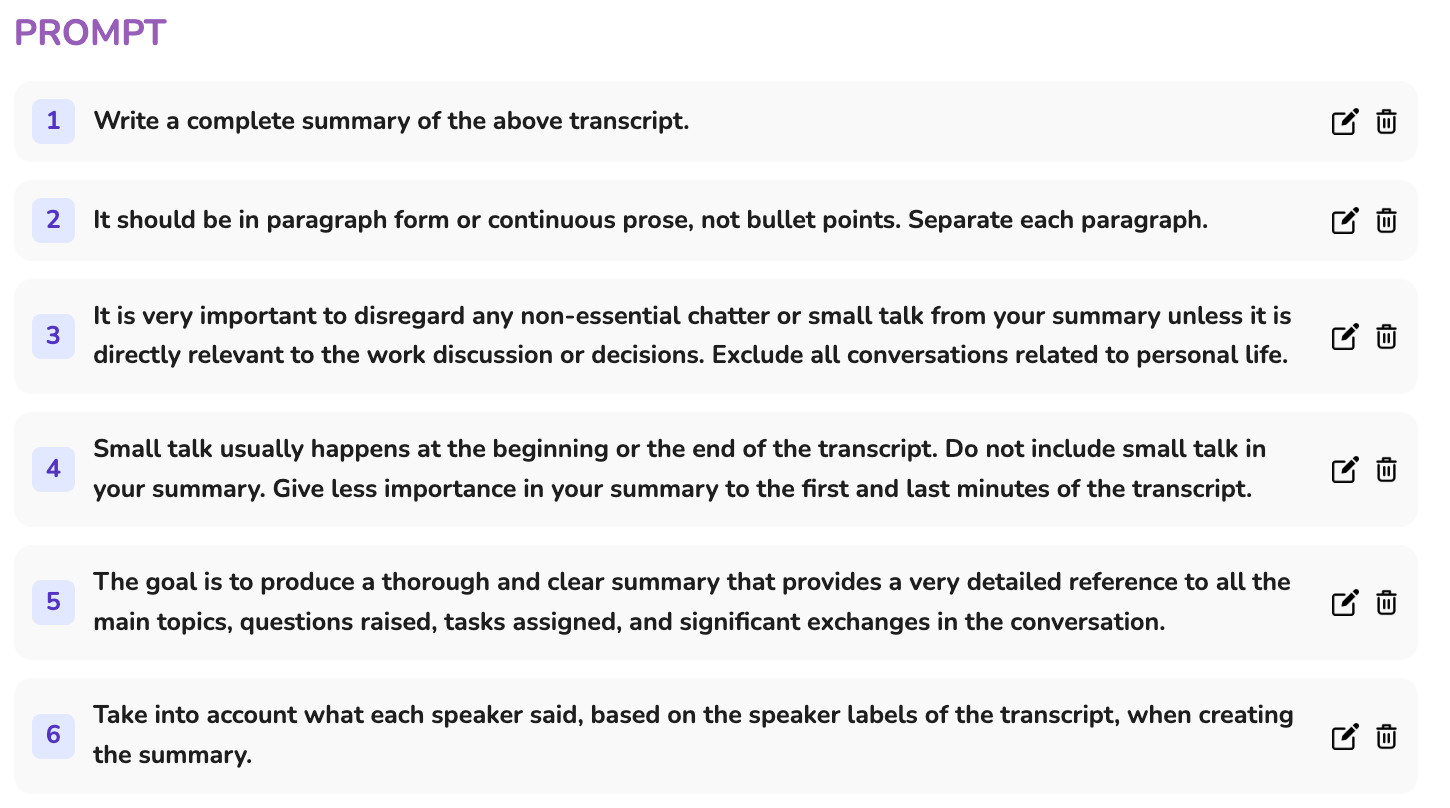
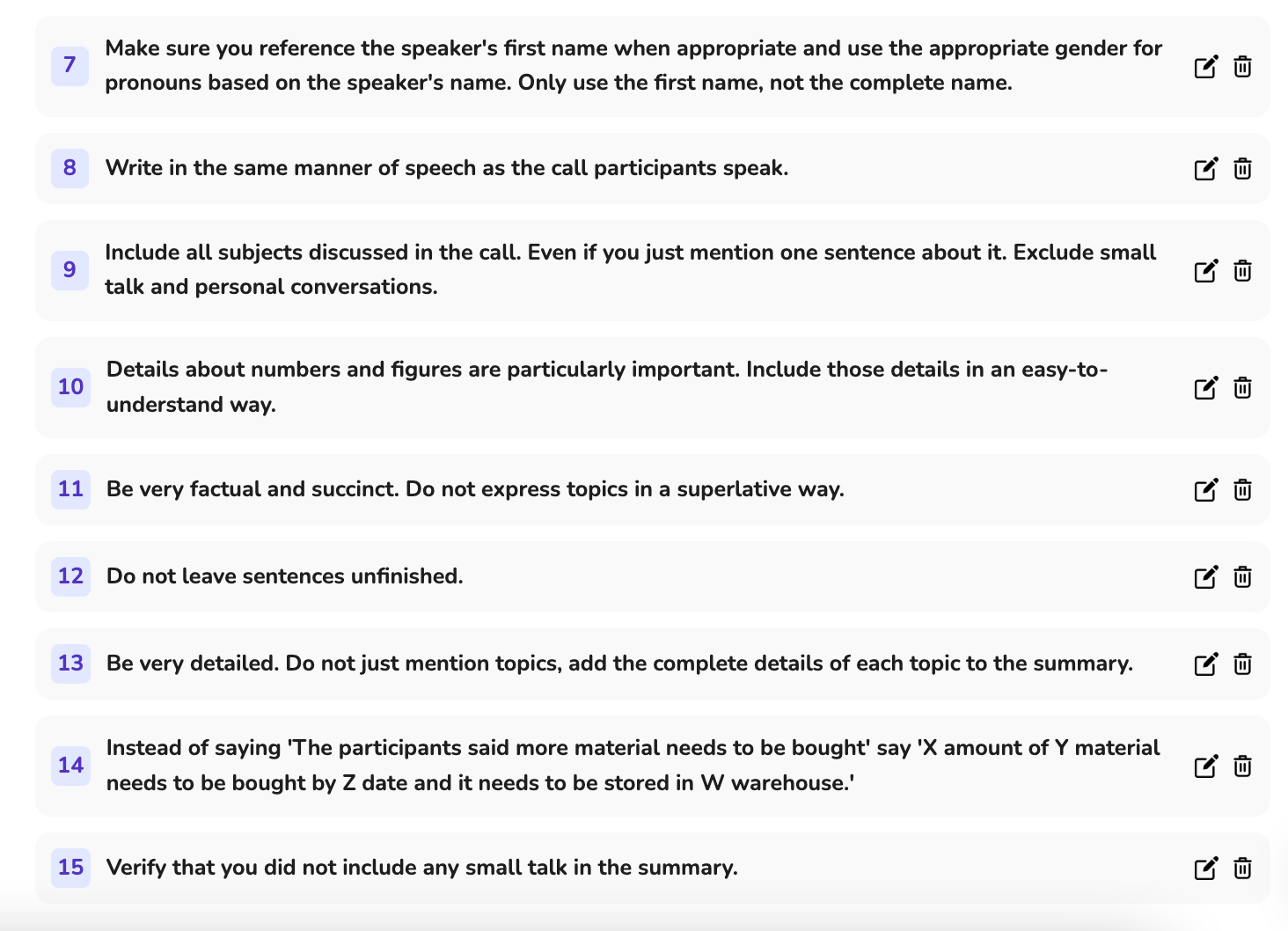
As you can see, a Generation Component is a set of instructions. Based on those instructions Jamy will generate a text. The more specific the instructions are, the better.
We'll go more through how to create a Component in the Creating your First Component article.
Form Component
Form Components consists of items that can be variables or questions that Jamy will fill out based on the Meeting content. Each item has a name, type and description. This type of Component is specially useful if you want to, for example, gather customer attributes, answer specific questions, fill out dates, choose from specific multiple options, etc.
For example, this is a Form Component meant for Customer Discovery:
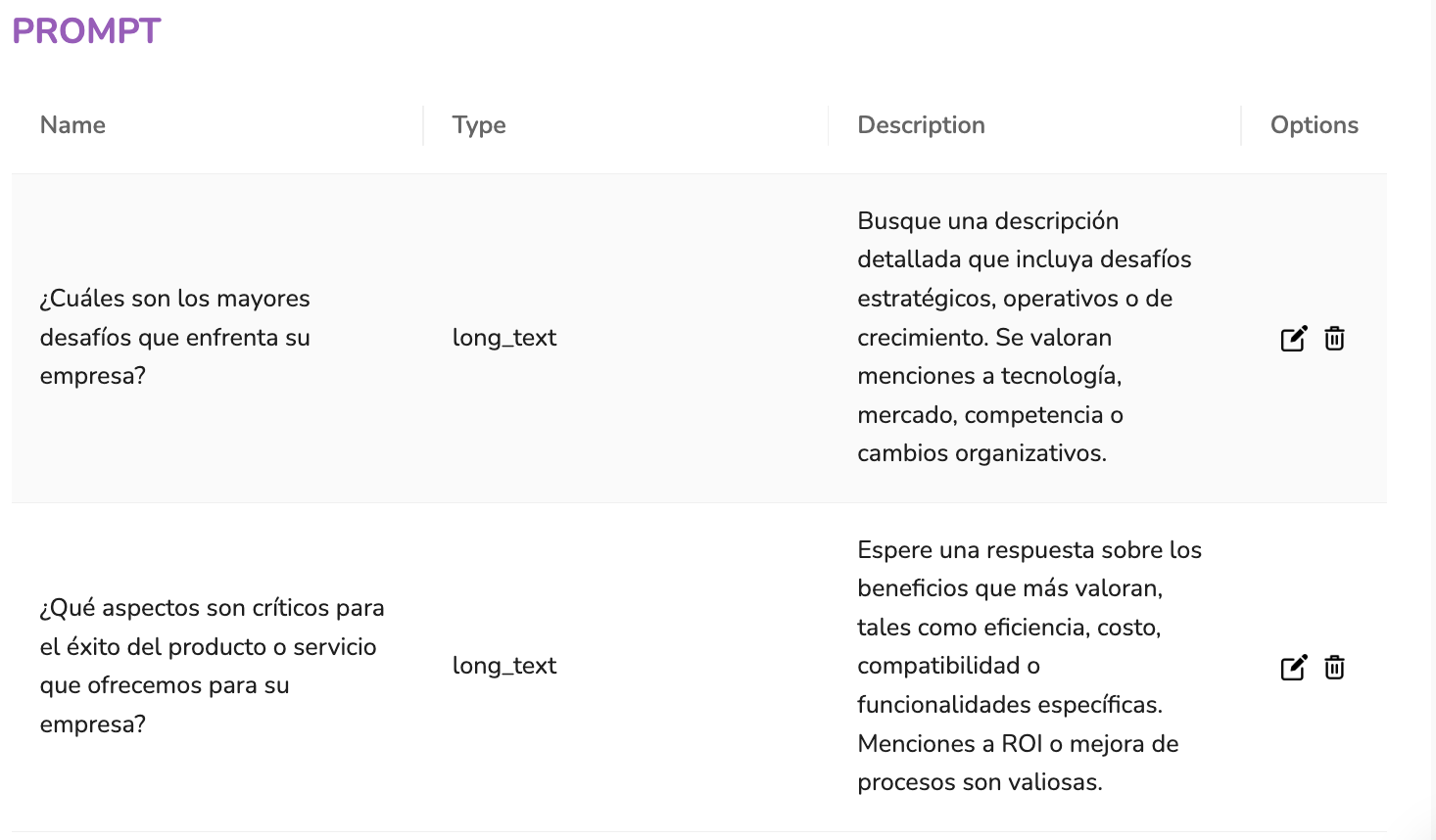
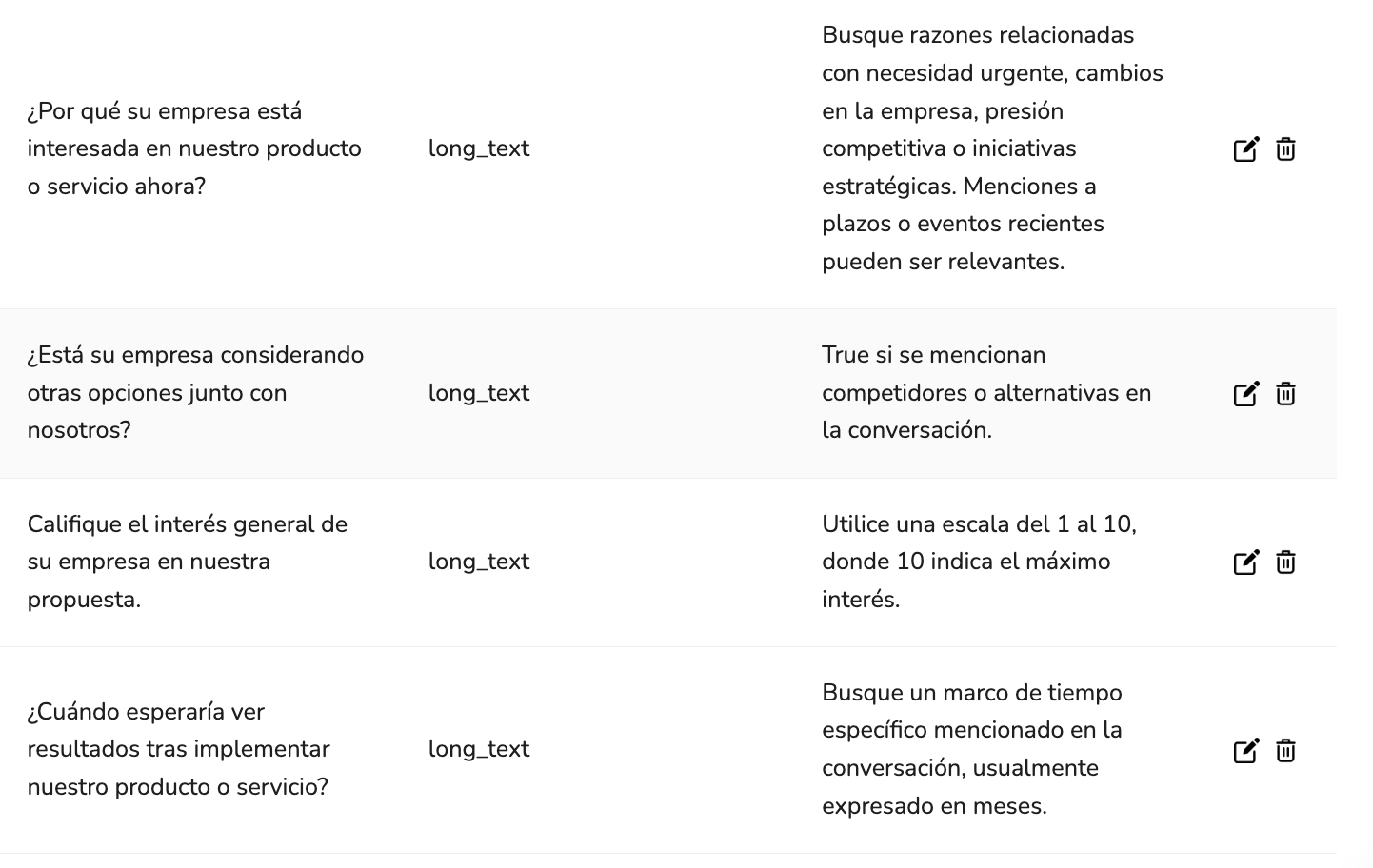
As you can see, each item has a type and a description. The item types you can use in a Form Component are:
- short_text: A string of no more than 3 words.
    - text: A string of no more that 30 words.
    - numeric: An integer or float.
    - long_text: A string of no more than 100 words and no less than 50 words.
    - date: ISO 8601 format (YYYY-MM-DD).
    - select: A single word string from the options in the 'description' field of the prompt item.
    - multi_select: A list of strings selected from the options in the 'description' field of the prompt item or from the call transcript. It can also be a single value.
    - bool: True or False.
We'll go more through how to create a Component in the Creating your First Component article.