🎨 New: Personalize Your Jamy Bot with a Custom Image
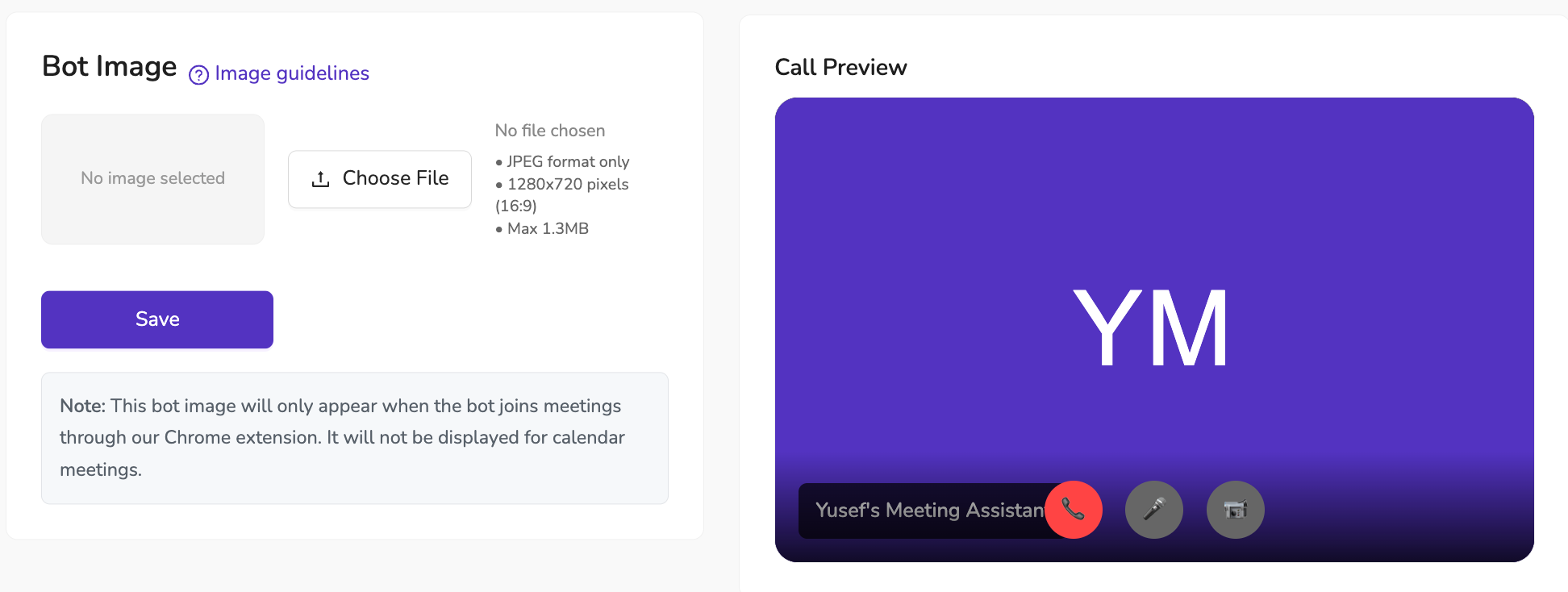
We’ve just added a new way to make your Jamy Meeting Assistant truly yours — you can now upload a custom image that will be displayed when the bot joins a call.
📌 How it works
The image appears when Jamy joins meetings via our Chrome extension
Supports JPEG format, 1280x720 (16:9), up to 1.3MB
Each user in your organization can set their own image, making Jamy unique to them
✨ Why it matters
Personalization isn’t just about looks — it helps your meetings feel more professional, on-brand, and recognizable to your participants. Whether you choose your company logo, a team mascot, or something fun, it’s an easy way to make Jamy stand out.
💡 Available to all plans — no upgrade needed.
📍 To set yours: Go to Settings → Branding & Customizations → Bot , upload, save, and Jamy will show your style in the next meeting.