Updates

Follow new updates and improvements to Jamy.

🚀 Upgrade: Share Meeting Reports to Specific Slack Channels
Sharing Jamy reports just got smarter and more flexible.

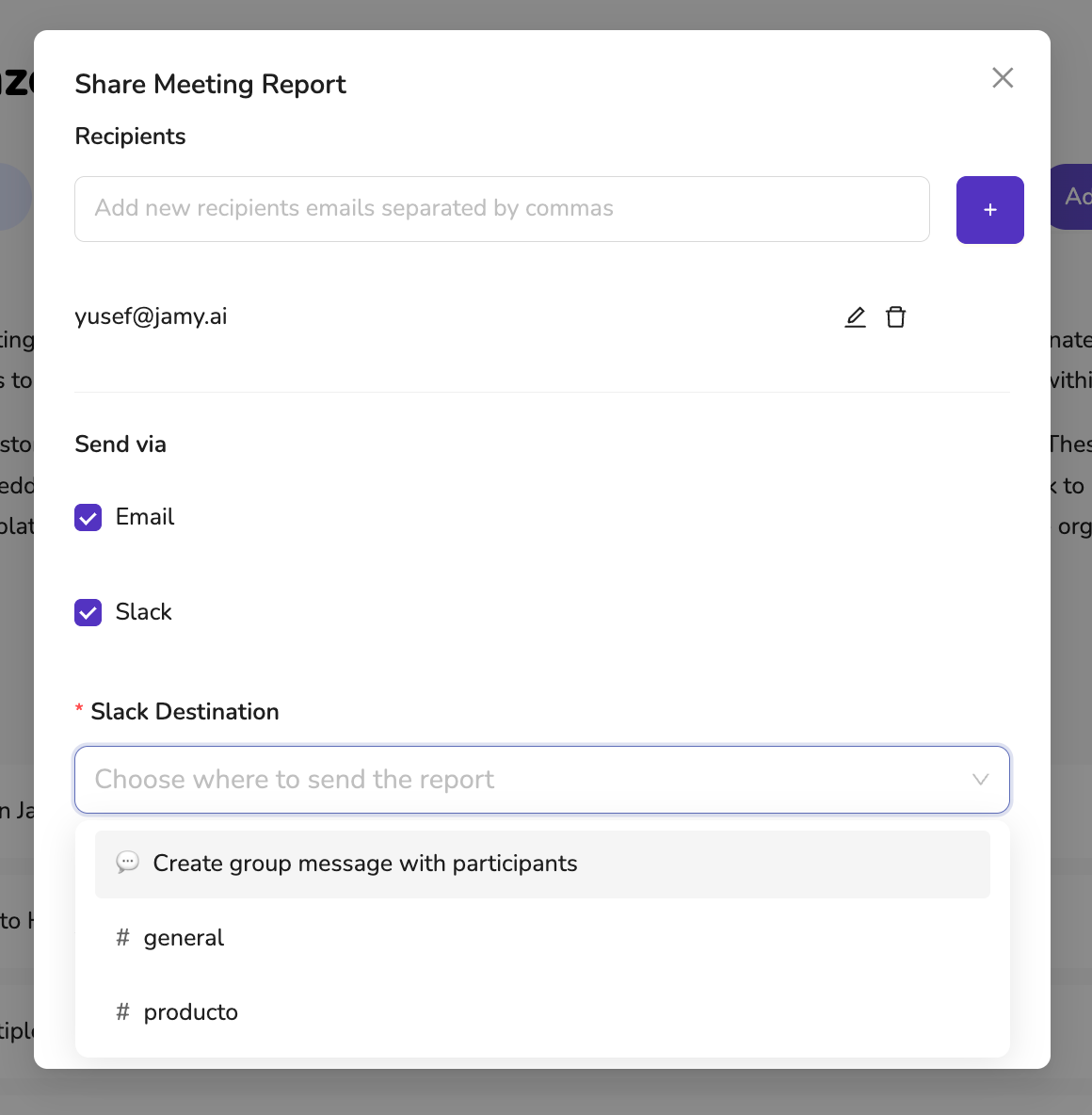
Now, when sending reports via Slack, you can choose exactly where they go—whether that’s a specific channel or a direct group message with the meeting participants.


🔧 What’s New:

✅ Slack Channel Selection – Pick from a list of Slack channels you’re already a member of. Jamy auto-filters the options so you only see channels you can post to.

✅ Create Group Messages – Don’t want to use a channel? Jamy can automatically create a Slack group DM with all meeting participants.

✅ Fully Integrated Workflow – Send to Email and Slack in the same flow, all in one click.


📍 How to Use:

  1. Open any report

  2. Click Share Report

  3. Select Slack as a destination

  4. Choose a channel from the dropdown — or opt to create a private message thread with participants

  5. Click Send Report


With this update, your meeting notes now land in exactly the right place—every time.

—

The Jamy Team 💜
Improved

📝 New Update: Choose a Template When Creating Reports Manually!

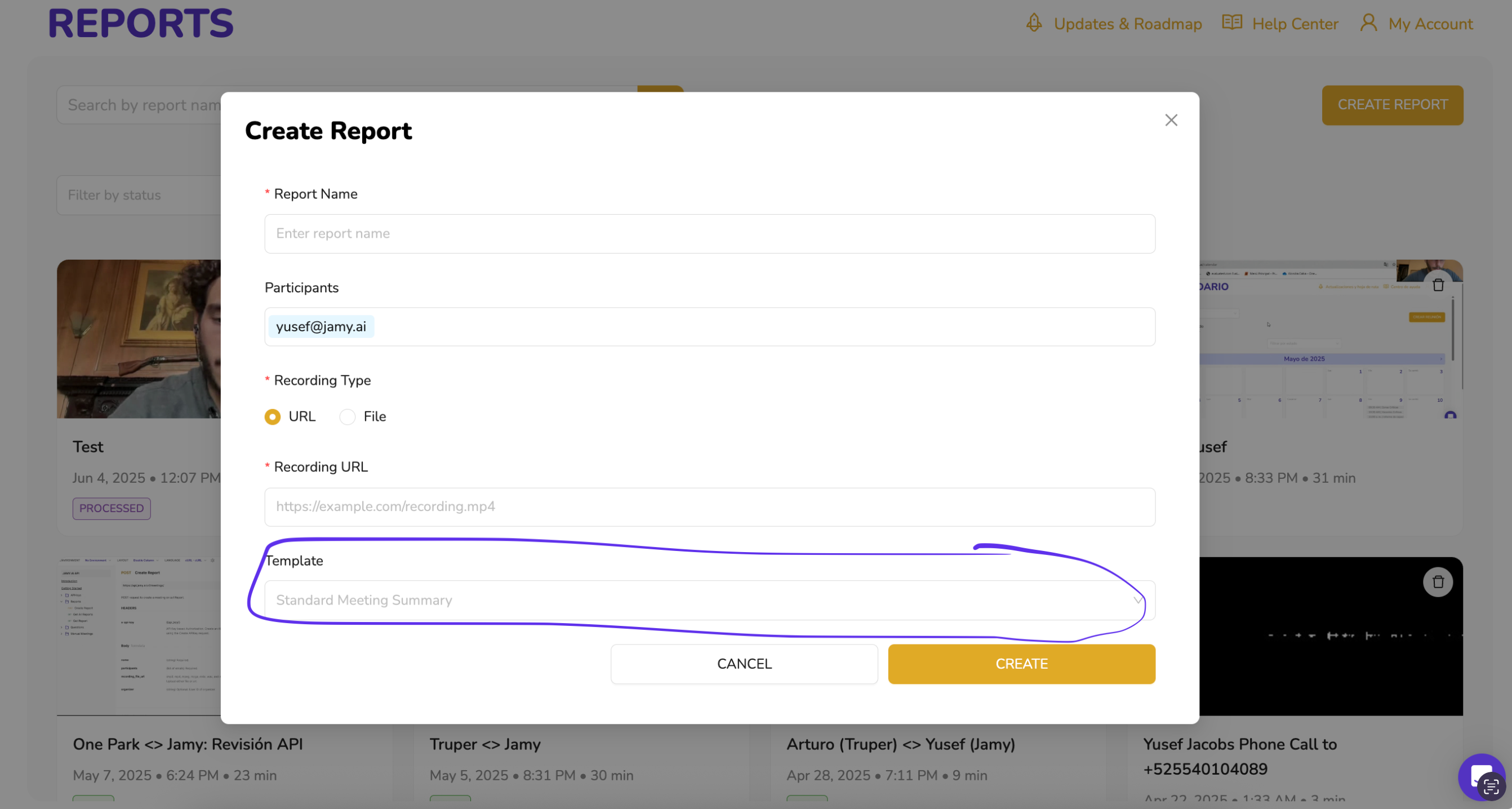
You can now select a template when manually creating a report in Jamy! 🎉

Whether you’re uploading a recording or pasting in a URL, Jamy now gives you the power to define exactly how the report is structured—before it’s processed.


✅ Why it matters:

  • Ensure consistency across all your reports

  • Match the report format to the purpose of the meeting

  • Use your custom templates for recruiting, sales, onboarding, and more

📍 To try it out:

Go to Reports > Create Report and you’ll now see a Template dropdown—choose the one that fits best!

This update makes manual report creation faster, smarter, and more personalized.

—

The Jamy Team 💜

Improved

✍️ New Update: Smarter Custom Words for Better Accuracy

You asked, we listened—our Custom Words feature just got a redesign!

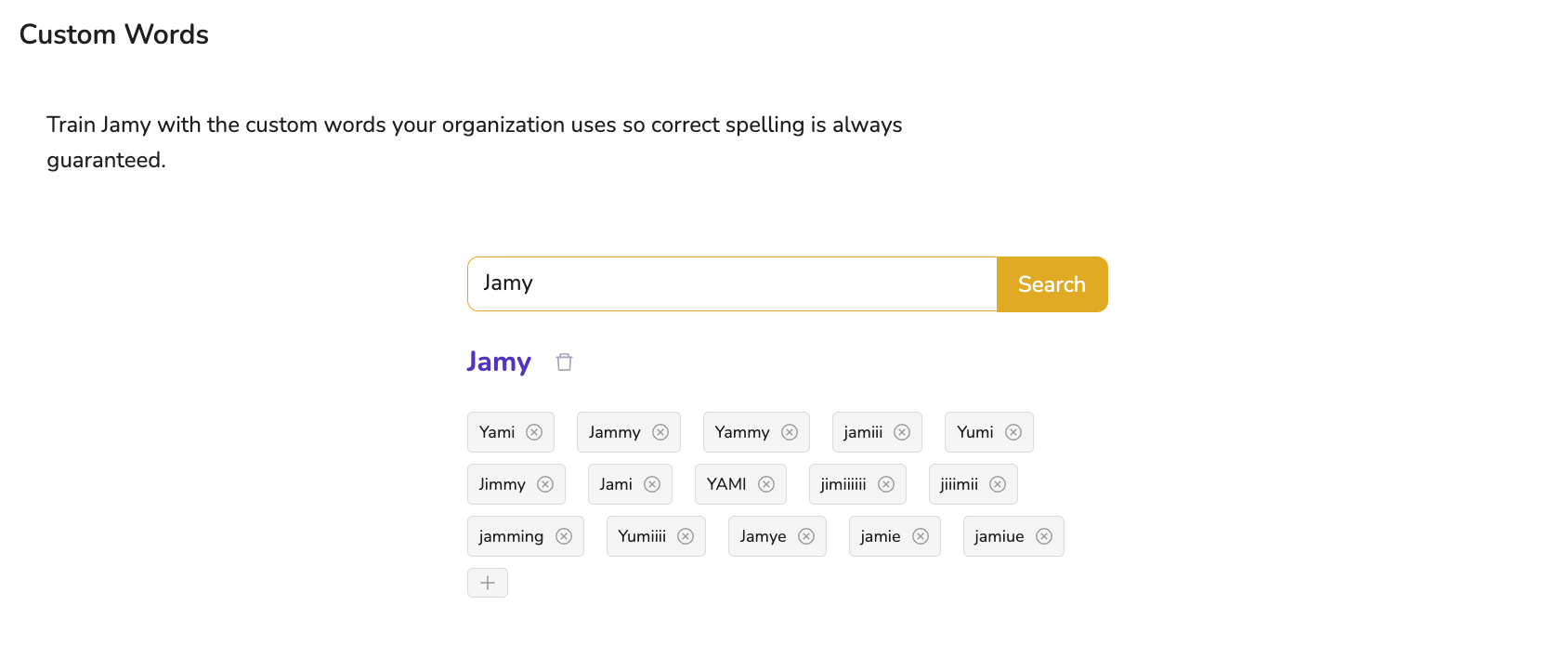
Now it's easier than ever to ensure that Jamy understands and spells your organization's unique terms correctly.


🔍 What’s New?

✅ Search Bar – Quickly find the word you want to train or update.
✅ Custom Word Preview – See all incorrect variations (misspellings or phonetic confusions) associated with each term.
✅ Easy Management – Add or remove incorrect words with a single click to keep your training accurate and clean.

Whether it’s a client name, product, or internal acronym—Jamy learns your language.


📍 Try it now:
Go to Settings > Branding & Customizations > Custom Words

Make Jamy smarter for your team, one word at a time.

—
The Jamy Team 💜

Improved